**SteamOS 3.8.0 Update: Key Features and Enhancements**
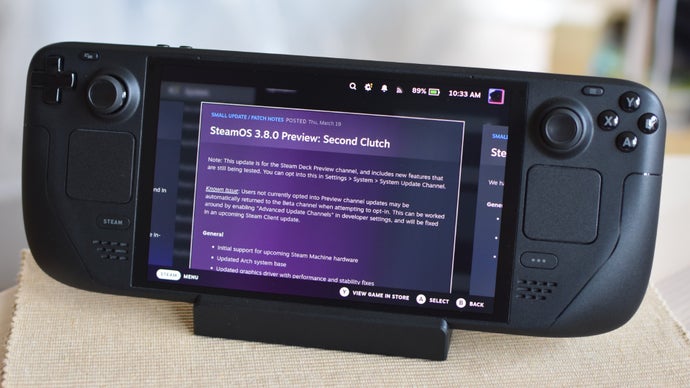
The SteamOS 3.8.0 update has recently become available for users on the Preview branch, marking a significant moment with the introduction of “initial support for the upcoming Steam Machine hardware.” This mention of Valve’s renewed focus on the Steam Machine points to potential excitement and hope, despite its previous delays and uncertainty surrounding release dates.
For current Steam Deck users, the 3.8.0 update brings several practical improvements. The update features a broad array of enhancements including the integration of a new graphics driver, which may bolster performance and visual fidelity in games. Additionally, there is improved support for popular applications such as OBS (Open Broadcaster Software) and Discord, alongside better frame pacing thanks to Variable Refresh Rate (VRR) technology. These advancements aim to create a smoother and more enjoyable gaming experience.
One of the most anticipated features is the preliminary support for hibernation. This functionality, if it mimics the hibernation feature found on Windows laptops, could significantly prolong the battery life of the Steam Deck by retaining the current state of the system without fully powering it down. However, initial observations suggest that the hibernation option is not yet fully realized, as it does not appear separately from Sleep mode in the settings.
In addition to hibernation, a new “Memory Power Down” setup option is specifically available for the original LCD Steam Deck, while the Steam Deck OLED model only receives security updates and a fix for its battery charging LED. This distinction might be disappointing for OLED users, but it reflects Valve’s ongoing commitment to improving functionality across their devices.
Another notable enhancement in this update is the involvement of Bluetooth connectivity. The update reinstates the Bluetooth Wake feature for the LCD Steam Deck, enabling it to wake from Sleep mode using a Bluetooth remote. Furthermore, a new setting allows connected Bluetooth headsets to use their built-in microphones. Although some users might still prefer 2.4GHz wireless options for audio, these enhancements are a step forward for wireless gaming.
To try the SteamOS 3.8.0 update, users can navigate to the System settings menu on their Steam Deck and switch to the Preview branch. It’s worth mentioning, however, that there is a known issue that may redirect users to the Beta branch instead of the intended Preview branch—a quirk that Valve will need to address in future updates.
Overall, the SteamOS 3.8.0 update introduces a suite of enhancements that promise to enrich the gaming experience for Steam Deck users, while also hinting at future developments with the Steam Machine. This update represents both functional improvements and a glimpse into the evolving landscape of Valve’s gaming ecosystem.