# Subnautica 2: Insights and Tips for Early Access
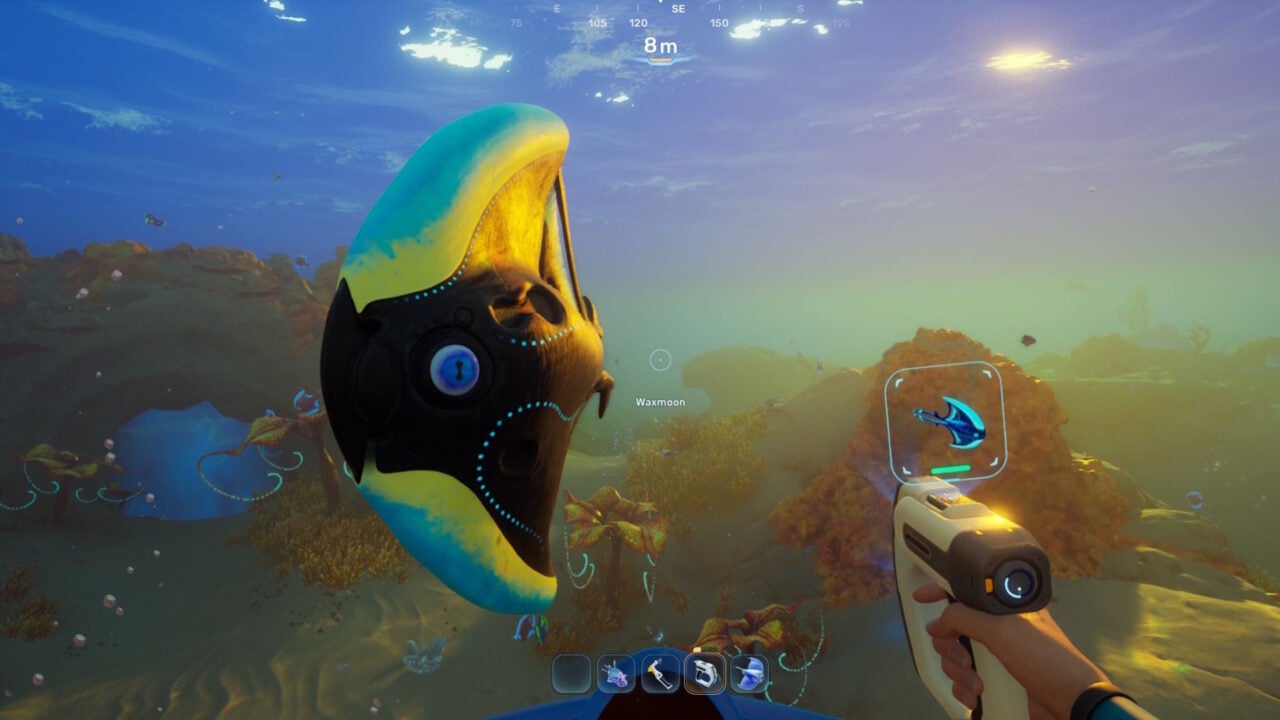
Subnautica 2 has made its debut in Early Access, offering gamers a deep and engaging experience in underwater crafting and exploration. While the game is anticipated to evolve over the next two to three years, there’s already a wealth of content to explore, along with some nuances players should be mindful of. Here are key pieces of advice for traversing Unknown Worlds’ latest aquatic adventure.
## Your First Base is Merely a Corridor with a Door
At first, the game might feel like it’s guiding you along, particularly in terms of base construction. Players are urged to assemble a base after creating the Habitat Builder, yet they can currently only build a corridor and hatch. Although this seems restrictive, it is part of the designed progression. Resources such as titanium are plentiful in the initial region, particularly in caves. Concentrate on erecting a single corridor and a hatch to set up your inaugural home base. As you advance, larger room options will open up.
## Position Your Base Near a Current
Once the option to build rooms arises, the location becomes crucial. Rather than building your structures right under your escape pod, seek out nearby jetstream tubes. Establishing your base close to these streams is beneficial since the solar panels that supply power to your base only function during daylight hours. At night, it’s wise to install a hydroelectric turbine within a jetstream to ensure power continuity. This strategy conserves both time and materials, as you won’t have to lay power transmitters over long distances.
## Avoid Exiting the Early Access Zone
Be wary of the red-striped border; this indicates the outer boundaries of the playable Early Access area. The game might allow exploration beyond this zone, but it comes with dangers, including instant death from gigantic sea creatures. While encountering these enormous beings can be exhilarating, it’s better to refrain from wandering out with precious items in your possession.
## Death Locations Are Not Displayed on the Map
One particularly irritating element of Subnautica 2 is that death locations are not marked on the map. Upon dying, players will respawn at their base while any dropped items float away. This can create a difficult recovery situation, especially if the death spot is hard to find. Currently, deaths are not shown on-screen, which may change with future updates.
## You Can Construct Vehicles Sooner Than You Realize
In the early stages of the game, players are able to create a vehicle called the Tadpole, which provides better protection in hazardous waters. To make it, start by crafting a Processor with titanium, copper wire, and mild acid, all of which can be collected easily. Use the Processor to create titanium ingots and a vehicle fabricator, then construct it alongside a Moonpool at your base. With some additional supplies, like a power cell and system chip, you’ll soon be able to operate your Tadpole.
## You Can Attach Storage to the Rear of Your Tadpole
At first glance, it might seem like the Tadpole doesn’t have enough inventory space, which can be frustrating. However, players can use the little circles on the back of the Tadpole to attach items for transport. This function greatly enhances inventory capacity, making exploration significantly more enjoyable.
## Your Tadpole is Upgradeable
Although the game doesn’t explicitly tell you, players can enhance their Tadpole using a hatch located on its roof. To do this, you’ll need a Modification Station, which requires celestine, a resource discovered deeper within the game. Once built, you can improve the Tadpole’s speed, armor, and functionalities.
## If You Can’t Move an Item, Just Demolish It
In Subnautica 2, players have the ability to relocate structures within their base. However, if the game restricts you from moving something, feel free to demolish it instead. Demolishing returns the original materials used during construction, allowing players to create new structures without incurring extra costs.
## You Can Disable Quest Markers in the Menu
While the game features numerous quest markers, these can sometimes hinder exploration. Players who prefer a more organic discovery experience can deactivate these markers. Just go to your inventory and select Signals, where you can turn individual markers on or off.
Subnautica 2’s Early Access stage invites players into a captivating world full of crafting, exploration, and survival challenges. By keeping these suggestions in mind, players can enhance their experience and gear up for future updates as the game progresses.