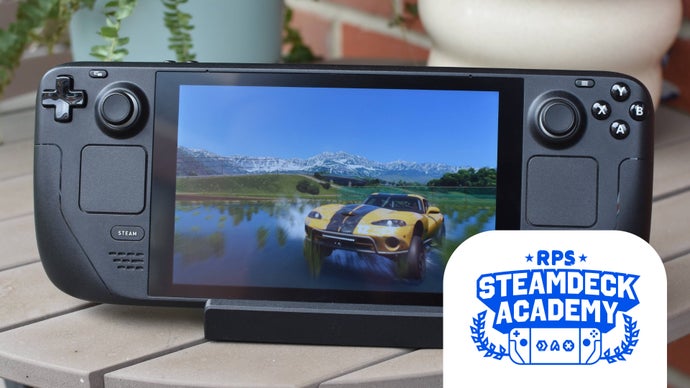
### Forza Horizon 6 on Steam Deck: A Comprehensive Performance Guide
**Introduction**
Forza Horizon 6, the latest entry in the beloved racing series, comes with a robust gaming experience, now verified for the Steam Deck. While it promises a thrilling ride, players may encounter challenges due to the game’s size and performance requirements. This article will guide you through optimizing the experience on the Steam Deck.
**Installation Considerations**
Forza Horizon 6 is a hefty title, requiring over 155GB of storage. This makes it unfeasible for the 64GB Steam Deck, and it can occupy a significant portion of the 256GB model’s storage. However, the good news is that it is compatible with microSD cards, allowing players to expand their storage easily without replacing the internal SSD.
**Xbox Account Login**
Before diving into the game, players must log in using a Microsoft Xbox account. Fortunately, this is a one-time requirement, as the Xbox service will also handle cloud saves. Thus, players can seamlessly switch between their Steam Deck and main PC, retaining progress and vehicle collections.
**Gameplay Experience**
Once installed, Forza Horizon 6 functions smoothly on the Steam Deck without the need for additional compatibility adjustments such as Proton GE. However, players may notice a decrease in battery life compared to Forza Horizon 5—about 1 hour and 23 minutes for FH6.
The default control scheme is effective, and the user interface remains readable on the smaller screen.
**Performance and Graphics Settings**
The performance of Forza Horizon 6 can vary significantly on the Steam Deck. Benchmarks show the following average frame rates:
– **Medium preset**: 30fps
– **Low preset**: 36fps
– **Very Low preset**: 46fps
While the game aims to maintain frame rates, heavy traffic and urban environments can lead to dips below 30fps on the Medium preset. Players looking for smoother gameplay may need to adjust settings.
**Recommended Graphics Settings**
After extensive testing, the following settings provide a balanced mix of performance and visual fidelity, typically achieving 30-40fps in busy areas:
– **Motion Blur**: Short
– **Resolution Scaling**: FSR on Balanced
– **Car Level of Detail**: Low
– **Environment Texture Quality**: Low
– **Environment Geometry Quality**: Very Low
– **Car Reflection Quality**: Very Low
– **Screen Space Reflections Quality**: Off
– **Raytraced Reflections Quality**: Off
– **Shadow Quality**: High
– **Night Shadows**: Off
– **Screen Space GI Quality**: Medium
– **Raytraced GI Quality**: Off
– **Shader Quality**: Low
– **Audio Quality**: Ultra
– **Deformable Terrain Quality**: Medium
– **Particle Effects Quality**: Medium
– **Volumetric Fog Quality**: Off
– **Lens Effects**: Off
– **Motion Blur Quality**: Low
**Additional Performance Tips**
To enhance stability, consider setting the display resolution to 1280×800 and unchecking the 30fps cap. Limiting the display’s refresh rate to 45Hz may also help to provide smoother gameplay, reducing the lurching effect that occurs with fluctuating frame rates.
**Conclusion**
Forza Horizon 6 provides an engaging experience on the Steam Deck, but optimizing settings is crucial to achieving smooth gameplay. By adjusting the graphics settings and managing storage effectively, players can enjoy the thrill of this racing adventure on the go.