### Forza Horizon 6 Save Issues and Fixes: What Players Need to Know
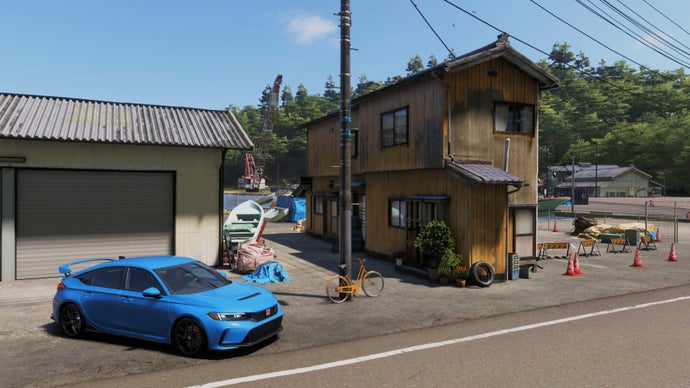
Recent reports have surfaced regarding players of Forza Horizon 6 experiencing significant issues related to save files, with some losing their progress entirely and having to restart from scratch. In response, Playground Games, the developer behind the popular racing game series, has begun to implement fixes and provide guidance for affected users.
#### Acknowledgment of the Problem
Playground Games has officially acknowledged the problem through their support team, stating, “Our team is investigating an issue impacting some Forza Horizon 6 players where game save progress may be lost or reset.” They have encouraged players who encounter these issues to submit a support ticket on the Forza Support website on the same day they notice the loss of their save data. Moreover, players are advised against playing the game or creating new saves until the support team has thoroughly reviewed their situation.
#### Guidance for Windows PC Users
For players on Windows PC, particularly those using the Microsoft Store or Steam, it’s essential to ensure that the Microsoft Gaming Services app is up to date. To check this, follow these steps:
1. Navigate to your system settings.
2. Go to “Apps” and then “Installed Apps.”
3. Locate “Gaming Services” in the list.
4. Click on the ellipsis (three dots) next to it and select “Advanced options.”
5. Here you will find the version number; make sure it is version 37.114.10001.0 or higher.
If your Gaming Services app is outdated, you can update it by accessing the downloads section of the Microsoft Store, checking for updates, and initiating the update process.
#### Best Practices to Avoid Loss of Progress
To help mitigate the risk of losing save data in the future, players are advised to exit the game properly via the in-game menu instead of abruptly quitting during loading screens. Once the game is closed, it is recommended to wait a few minutes to allow the game time to sync progress with the cloud before powering off the PC. A suggested practice is to engage in a brief activity—like customizing your vehicle—during this waiting period to ensure that the save mechanisms have had adequate time to function.
#### Considering Forza Horizon 6 Amid Community Boycotts
In light of ongoing controversies, including the BDS movement’s calls for a boycott of Microsoft due to alleged connections with the Israeli military, some may be pondering whether to play Forza Horizon 6. For those on the fence, a comprehensive review of the game can provide insight into its merits. [Read the review here](https://www.rockpapershotgun.com/forza-horizon-6-review-the-king-is-dead-long-live-the-drift-king) for a detailed assessment.
In conclusion, while the save file issues in Forza Horizon 6 have caused frustration for many players, Playground Games is actively working on remedies. Following the recommended steps can help minimize the impact of these issues on your gameplay experience.