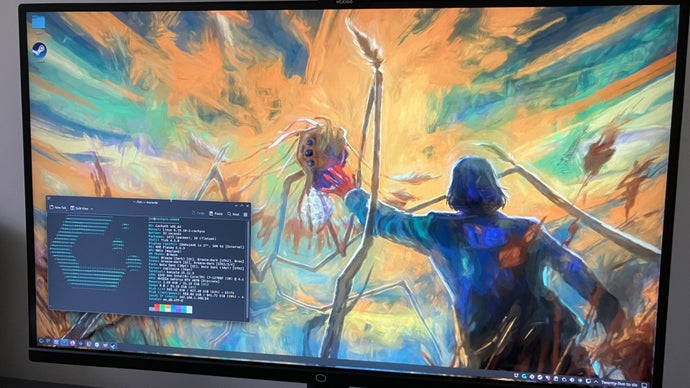
**Exploring the Shift to Linux: A Journey with CachyOS**
A few months ago, I embarked on a radical journey: I decided to transition from Windows 11 to Linux, specifically CachyOS. My frustrations with Microsoft’s increasing AI implementations and unexplained system slowdowns compelled this change. Although my friend Joshua Wolens had inspired me with his foray into Linux, I was determined to discover whether this operating system could meet my needs.
### The Linux Experience: A Look Back
My prior experience with Linux dates back to 2020 when I attempted to install Linux Mint on an aging Windows 10 laptop. Although the Linux distribution improved performance compared to Windows, I quickly encountered difficulties with game compatibility. My Steam library felt limited, marred by the need to navigate the complex Wine compatibility layer for each game.
However, the gaming landscape on Linux has evolved significantly since then. Thanks to the popularity of the Steam Deck and the sophistication of Proton—Valve’s tool for running Windows games on Linux—the experience has become more accessible for gamers. Proton has vastly improved, allowing for a smoother gaming experience on various Linux distributions.
### Choosing the Right Distribution
For those contemplating a switch from Windows to Linux, selecting the right distribution (distro) is crucial. With thousands of options, the landscape can seem daunting. Distributions like Bazzite, SteamOS, Fedora, Arch, and Linux Mint each serve unique purposes, catering specifically to gamers or general users alike.
Bazzite, for instance, focuses on a gaming-first approach, offering out-of-the-box support for Steam and essential tools like the Heroic Games Launcher. SteamOS, known for its optimized gaming experience, is user-friendly yet primarily designed for users who enjoy gaming on handhelds. On the other hand, Fedora is recognized for its stability, while Arch offers extensive customization for advanced users.
### Discovering CachyOS
I ultimately chose CachyOS, an Arch-based distro that strikes a balance between gaming optimization and general desktop usability. Despite being user-friendly, it doesn’t limit itself to gamers; it’s versatile enough for everyday tasks while providing essential performance enhancements. Installing CachyOS was straightforward, and I appreciated its intuitive interface.
### Gaming Compatibility on Linux
Once the distribution was set up, diving into gaming revealed several positive changes. For most Steam games, installation and launching were seamless, thanks to the built-in Proton. However, some titles required additional tweaks; for example, I encountered issues with video playback in *Nioh 3*. Thankfully, tools like ProtonUp-QT allowed me to install different versions of Proton, improving my gaming experience significantly.
Furthermore, the emergence of alternatives like Heroic Games Launcher and Lutris has simplified accessing games from various platforms. These tools enable users to harness compatibility for their favorite titles while maintaining an organized gaming library.
### Challenges with Linux Gaming
While the future of gaming on Linux is bright, there remain hurdles to overcome. Kernel-level anti-cheat systems pose significant challenges, preventing popular games such as *Battlefield 6* and *Fortnite* from being playable. Additionally, some legacy games, like *Dirt 2*, are tangled in outdated DRM systems that complicate compatibility.
Some issues I faced with CachyOS involved updating through the Arch package manager, Pacman. The frequent need to address slow mirrors was frustrating, but tools like Reflector helped streamline the process.
### The Bottom Line
Despite certain drawbacks, I find Linux, particularly with distributions such as CachyOS, offers a compelling alternative to Windows. It’s stable, customizable, and increasingly capable of handling most games in a user-friendly manner. While it requires some patience and occasional tinkering, the experience has proven worthwhile.
If you’re contemplating a switch to Linux, consider experimenting with CachyOS or another user-friendly distro on a live USB drive. You may just find that this OS can meet your needs and preferences, echoing my own positive transition.